


ESPN
4.5199.48K Reviews
App Specs
- Version
- Varies with Device
- Updated On
- License
- Free
- Downloads
- 100,000,000+
- Developer
- Disney
- Categories
- Sports
- Platform
- Android, iOS
Screenshots
 Analysis by AppCompare
My first week with ESPN would begin with a simple habit: checking a score without opening several team pages or searching across different sites. That quick return is the app’s clearest early appeal. As a sports app from Disney, it brings scores, news, alerts and live sports into one place, which is useful when I want a broad view of the day rather than a single match feed. The experience makes the most sense for someone who follows more than one league or sport and wants a familiar starting point for catching up.
The first few days can feel especially rewarding when several games are happening at once. I can use a short break to check what is close, then decide whether a headline or a longer recap deserves more attention. Alerts can make that routine more personal, but I would choose them carefully: notifications for every team and event can turn a useful check-in into a constant interruption. A smaller set of teams or competitions is a better place to start, then I can widen it if I find myself wanting more.
What makes the first week feel useful
For a new user, the main advantage is not that every sports need is solved in one screen; it is that the app gives a quick route between keeping score and following the story around it. A result tells me what happened, while reporting and analysis can help explain why a game mattered or what to watch next. That combination is more useful than a scoreboard alone when I have missed the event and want enough context to join a conversation.
Guides and Analysis on ESPN
There is also a practical way to avoid turning a quick check into a long scroll. I would open the app with a specific purpose—checking a score, finding a story, or looking for a highlight—and leave once that is done. On a busy sports day, that small boundary helps the app serve the habit instead of consuming the whole break. The first week is when it is worth deciding which updates actually matter to me, rather than treating every available notification as essential.
Why it can keep earning a place
Over time, ESPN’s value depends on whether I return for different reasons, not just whether the first visit feels polished. A fan who checks a team’s progress, reads coverage after a game, and occasionally watches sports has more reason to keep the app installed than someone who only needs one final score each week. Its broad mix makes it a useful daily reference, especially during periods when several sports I follow overlap.
The app is free to download, and it has a 4.3 average from around 1.2 million ratings, with more than 100 million installs. Those figures suggest it has become a familiar option for many sports fans, but they do not tell me whether its particular mix fits my routine. In-app purchases are offered, with items ranging from $4.99 to $79.99, so I would check what a purchase includes before paying rather than assuming every feature I might want is part of the free experience.
How it fits into a real day
Imagine I am commuting home while a game is underway. I can check the score and use a team alert to know when something important changes, then read a recap later if I cannot watch. That is a more realistic strength than expecting a phone app to replace watching a full event: it helps me stay connected in the gaps between work, travel, and the time I can give to sports.
Worth Reading Before You Choose

Baby Panda World Brings Quick Play to Modern Phones, but Its Game Library Feels Busy

QuizzLand Review: A Good Fit for Short Trivia Breaks, Not Every Player

Basketball Stars: Multiplayer Is Fast, but Can It Recover When Matches Go Wrong?

Link to Windows Runs on Shared Habits, Not Social Feeds

How Alibaba.com Dominates the B2B Marketplace

Metro's Quiet Rise: Redefining Mobile Communication
For a fan who follows several competitions, this is often more convenient than switching between separate league apps just to see what is happening. A dedicated league app may still be better when I want a narrowly focused experience, while a general sports news source may suit someone who mainly wants articles. ESPN’s advantage is the blend; the trade-off is that a broad feed can include more than I personally care about. I would use alerts and the sections I return to as filters, not expect every item to be relevant.
Stay Updated with Live Scores
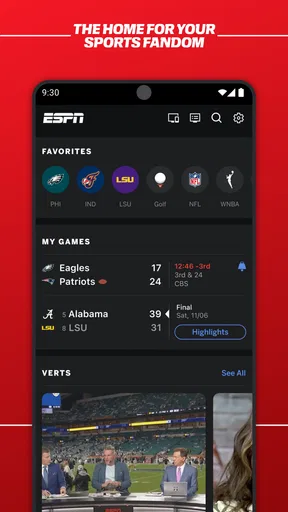
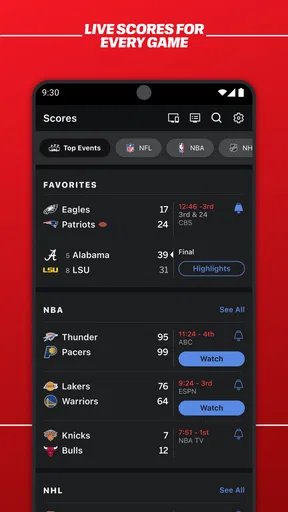
The first thing you'll notice when you open the app is the live scores section. It's like a sports fan's dream come true. You're getting real-time updates from all major sports events worldwide. From the NFL to the Premier League, you can keep track of your favorite teams and athletes without missing a beat.
I love how customizable it is. You can set alerts for your favorite teams, so you'll never miss a touchdown or a goal. It's incredibly handy, especially when you're on the go and can't watch the game live.
In-Depth Analysis and News
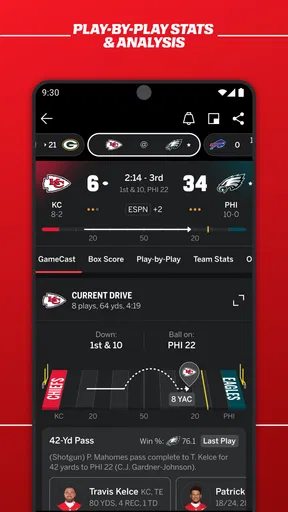
The ESPN app isn't just about scores. It delivers in-depth analysis and the latest news too. The articles are well-written and cover everything from game previews to post-match analysis. If you're into fantasy sports, you'll find plenty of insights and tips to help you manage your team.
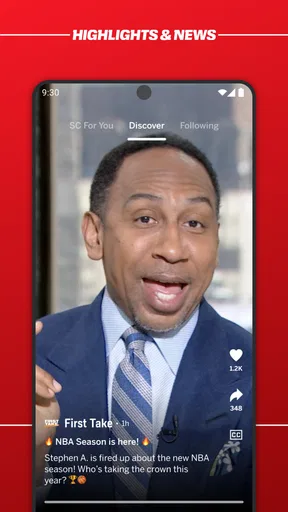
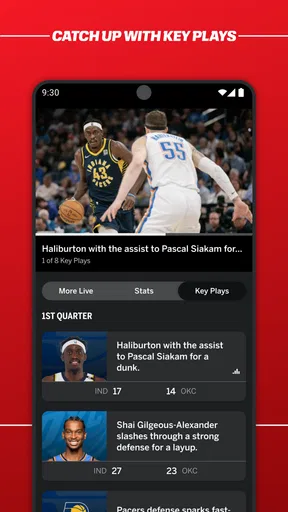
One of my favorite features is the video highlights. If you can't catch the game live, these highlights are a lifesaver. They're concise, covering the key moments, and available almost immediately after the game. Plus, there's a load of exclusive content from ESPN's top commentators and analysts.
User-Friendly Interface
Navigating through the app is a breeze. The interface is clean and intuitive, making it easy to find what you're looking for. Whether you're browsing scores, reading articles, or watching videos, everything is just a tap away.
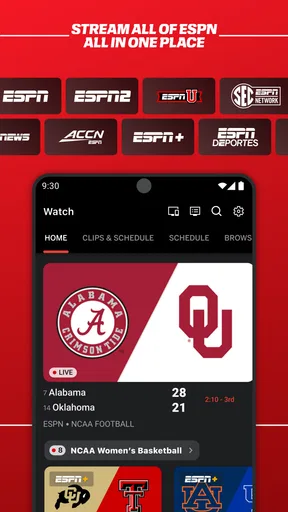
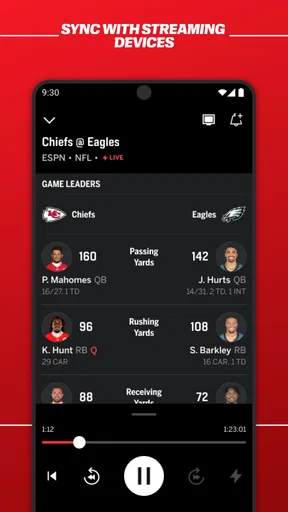
The app also integrates smoothly with ESPN's TV network, so if you're subscribed, you can stream live events directly from your device. This feature is a game-changer, especially during big tournaments when you don't want to be stuck in front of a TV.
Keeping the routine manageable
That breadth is useful, but it also creates a maintenance choice: I need to decide what deserves my attention. If I follow a team closely, an alert can replace repeated manual checking. If I am only curious about a tournament, opening the scores when I have a moment may be less distracting than receiving updates throughout the day. I would treat notifications as a personal shortlist, not as a setting to enable for every sport I might watch once in a while.
For a match I cannot watch, I would use the app in stages: check the score during the event, save the deeper reading for when I have time, then use highlights to catch the important passages. That sequence is more satisfying than trying to follow every update while busy. It also makes clear what the app cannot do for me: a score alert is not the same as seeing the action, and a short highlight cannot reproduce the pace, tension, or full context of a complete broadcast.
Where friction can appear
Sports coverage is naturally uneven from one person’s point of view. A fan focused on a less prominent competition may find that the app’s broad selection still does not put their particular interest front and center. Likewise, someone who wants only a clean list of scores may find articles and video content unnecessary. In those cases, a dedicated league or team app can be a better daily tool, while a plain scoreboard is preferable for someone who wants the result and nothing more.
Video is also a different kind of use from checking a score. It asks for more time and a suitable connection, so I would not rely on it as the only way to follow a game while travelling. If live viewing is the priority, I would check access and any subscription requirements before planning around a stream. ESPN is rated Everyone 10+, and its minimum operating system requirement is Android 5.1; people using older software should check compatibility before making it part of their routine.
Who should keep it installed
I would keep the app if I regularly move between live scores, sports reporting, and highlights, or if I follow enough teams that a single place saves me repeated searches. It is also a sensible fit for a fantasy player who wants sports coverage alongside the practical business of keeping up with games. If I only watch one team and already get everything I need from its official app, ESPN may add little beyond occasional broader news.
The best long-term test is simple: after the novelty of exploring the sections wears off, do I still open it for a useful reason? If the answer is yes—because I check a score, read a recap, or catch up on a match I missed—the app has earned its space. If I mostly dismiss notifications or open it without finding relevant coverage, I would narrow the teams I follow or remove it rather than keep a noisy app out of habit.
Final Thoughts
Overall, the ESPN app is a must-have for any sports enthusiast. It's comprehensive, user-friendly, and keeps you connected with the sports world 24/7. Whether you're checking scores, reading the latest news, or watching highlights, this app has you covered.
So, if you haven't already, go ahead and give it a try. With the convenience it offers, keeping up with your favorite sports has never been easier. Trust me, once you start using it, you'll wonder how you ever lived without it!
Pros
- Comprehensive sports coverage and updates.
- Live streaming of various sports events.
- Easy-to-navigate interface.
- Personalized notifications for favorite teams.
- Exclusive articles and expert analysis.
Cons
- Requires subscription for premium features.
- Frequent ads in the free version.
- Some streams may experience lag.
- Limited offline content availability.
- App can be resource-heavy on devices.
FAQs for ESPN
What features does the ESPN app offer?
The ESPN app provides users with a comprehensive sports experience, including live streaming of games, real-time scores, news updates, and highlights. Users can also customize their experience by following their favorite teams and sports. Additionally, the app offers access to ESPN+ for exclusive content and documentaries.
Is the ESPN app free to use?
The ESPN app is free to download and offers a variety of content at no cost, such as scores, news, and some video highlights. However, to access premium content like exclusive live sports events and ESPN+ original shows, a subscription to ESPN+ is required, which incurs a monthly fee.
Can I watch live sports on the ESPN app?
Yes, the ESPN app allows users to stream live sports events. This includes major leagues like the NFL, NBA, MLB, and college sports. However, access to some live content may require an ESPN+ subscription or a valid cable provider login, depending on the event.
How do I customize my experience on the ESPN app?
To personalize your ESPN app experience, you can create an account and select your favorite teams, sports, and leagues. This customization enables the app to send you tailored notifications and present content that matches your interests, ensuring you stay updated on the events that matter most to you.
What devices are compatible with the ESPN app?
The ESPN app is compatible with a wide range of devices, including iOS and Android smartphones and tablets. It is also available on streaming devices like Roku, Amazon Fire TV, Apple TV, and gaming consoles. This versatility allows users to enjoy ESPN content on various platforms and screens.


